
Tinkerlands PC & Steam Deck Requirements
Confirm your rig before a long co-op night.
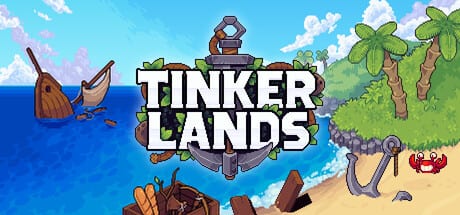
Tinkerlands is a lightweight 2D survival adventure, but online co-op, particle-heavy boss arenas, and large settlements still reward a stable host machine. This page summarizes the official Steam minimum specs, Steam Deck Verified expectations, and practical performance tips so your group spends time sailing—not troubleshooting.
Game details for reference: Steam Early Access since May 23, 2025, app ID 2617700, developed by CodeManu and Endless Coffee, published by HypeTrain Digital. Buy or verify ownership on the Steam store page. For progression planning after your PC check passes, use the progression checklist and Getting Started.
Official PC minimum requirements
Steam lists the following minimum configuration. Always re-check the store page after major engine updates.
| Component | Minimum |
|---|---|
| OS | Windows 10 or later (64-bit) |
| Processor | Intel Core i7-6700K or equivalent |
| Memory | 4 GB RAM |
| Graphics | NVIDIA GeForce GTX 970 or equivalent |
| Storage | 1 GB available space |
| Notes | 64-bit processor and operating system required |
How to read these numbers: the CPU and GPU lines look high for a colorful 2D game because the listing targets a smooth baseline with modern Windows stacks and busy scenes. Many players report comfortable frame rates on weaker hardware at lower settings, but if you plan to host four-player sessions, treat the published minimum as the floor for the host PC whenever possible.
Recommended specs are not always published separately on every store mirror. If your machine only barely meets minimum RAM, close browsers and launchers before hosting; 4 GB total system memory leaves little headroom once Windows and Steam are running.
Storage, installs, and Steam Cloud
- Budget more than 1 GB free: screenshots, workshop experiments, and Windows pagefile needs add overhead.
- Install on an SSD when you can—island loads and Navigate transitions feel snappier.
- Steam Cloud is supported; still keep the host’s save as canonical in co-op (see Co-op Hub).
- Verify game files in Steam if you crash after a patch before blaming hardware.
Steam Deck Verified
Valve rates Tinkerlands as Steam Deck Verified. In practice that means:
- Default controls work for the full campaign loop.
- On-screen glyphs show Deck button icons.
- UI text remains readable at Deck resolution.
- Default graphics settings perform well for handheld play.
Deck tips:
- Play docked with a higher TDP only if you notice dips during dense particle fights (Banshee, Quetzalcoatl).
- Use the official community layout if you prefer different radial menus; keep one layout per friend group so callouts match.
- For co-op, Deck is excellent as a client. If a Deck must host, stay near strong Wi-Fi or Ethernet via dock, and prefer Explorer/Adventurer until you know performance in your settlement size.
- Cap frame rate to refresh rate to reduce heat on long farming sessions.
Co-op hosting and network
Hardware is only half of a smooth four-player night:
- Prefer a wired Ethernet host when bosses demand tight parry timing.
- Pause downloads/updates on the host PC.
- Agree who hosts before consuming Map Charts or placing Red Candles.
- If one player is on weak Wi-Fi, have them join as client—not host.
- Cross-check everyone is on the same Steam build / beta branch.
More etiquette and invite steps live on the Co-op Hub.
Performance tips (PC & Deck)
- Update GPU drivers (NVIDIA/AMD/Intel) after major Windows updates.
- Cap FPS to your monitor or Deck refresh to lower heat and power draw.
- Reduce background overlays if you stutter—keep Steam overlay if you need invites, disable extras.
- In dense bases, store decorative spam in chests; huge towns with endless torches and machines can hitch lower-end CPUs.
- During boss attempts, avoid alt-tabbing on the host.
- If frame times spike only in one biome, note it for Updates / bug threads—EA patches change lighting and particles often.
- Laptop players: plug in, set Windows to High Performance, and keep vents clear.
- After installing the Supporter Pack or large patches, reboot once if shaders compile on first launch.
Accessibility & input
Controller users (Xbox / PlayStation pads on PC, Deck controls) should confirm bindings before a co-op night so block / interact buttons match voice callouts. Keyboard hosts can still invite controller clients without issue. If a friend cannot read small UI text, Deck Verified readability settings and monitor scaling in Windows help more than raw resolution bumps.
Troubleshooting quick list
| Symptom | Try this |
|---|---|
| Cannot join host | Same Steam build; firewall allow; re-invite; try direct connection on LAN |
| Stutters on host | Close Chrome tabs; move install to SSD; lower FPS cap |
| Crash after patch | Verify integrity; update GPU drivers; check Steam news |
| Deck thermal limit | Cap FPS; lower brightness; avoid charging + max TDP in hot rooms |
| Save confusion | One host; confirm Cloud sync finished before swapping PCs |
When specs are “good enough”
If you meet or beat the minimum table, you can complete the full progression checklist content—including Jungle, Ghostlands, and late bosses—without waiting for new hardware. Spend upgrade money on a better uplink or an SSD for the host before chasing a high-end GPU for this title.
Related links
- Tools Hub
- Progression checklist
- Co-op Hub
- Official links — Steam, Discord, X
- Guides Hub
Official store specs can change; if Steam updates the table, trust the store page and adjust this helper afterward. For community help, join the Discord or follow @PlayTinkerlands.
Frequently Asked Questions
Quick answers to the most common Tinkerlands questions.
What are the minimum PC specs for Tinkerlands?
Windows 10 or later, Intel i7-6700K or equivalent, 4 GB RAM, GTX 970 or equivalent, and about 1 GB of storage, with a 64-bit OS.
Is Tinkerlands Steam Deck Verified?
Yes. Valve lists it as Verified: default controls, Deck icons, readable text, and solid performance at default settings.
Can a Steam Deck host four-player co-op?
It can, but a stronger PC on wired Ethernet is the safer host. Use Deck as a client when possible for big boss nights.
Does Tinkerlands use Steam Cloud?
Yes. Still designate one co-op host save as canonical so Cloud sync does not fork your world.
How much disk space do I need?
Steam lists about 1 GB free. Keep extra headroom for patches, screenshots, and system virtual memory.
Where should I look if the game stutters only when hosting?
Close background apps, cap FPS, use a wired connection, and confirm you meet the CPU/RAM minimums on the host machine.